Startups
Dec 13, 2025
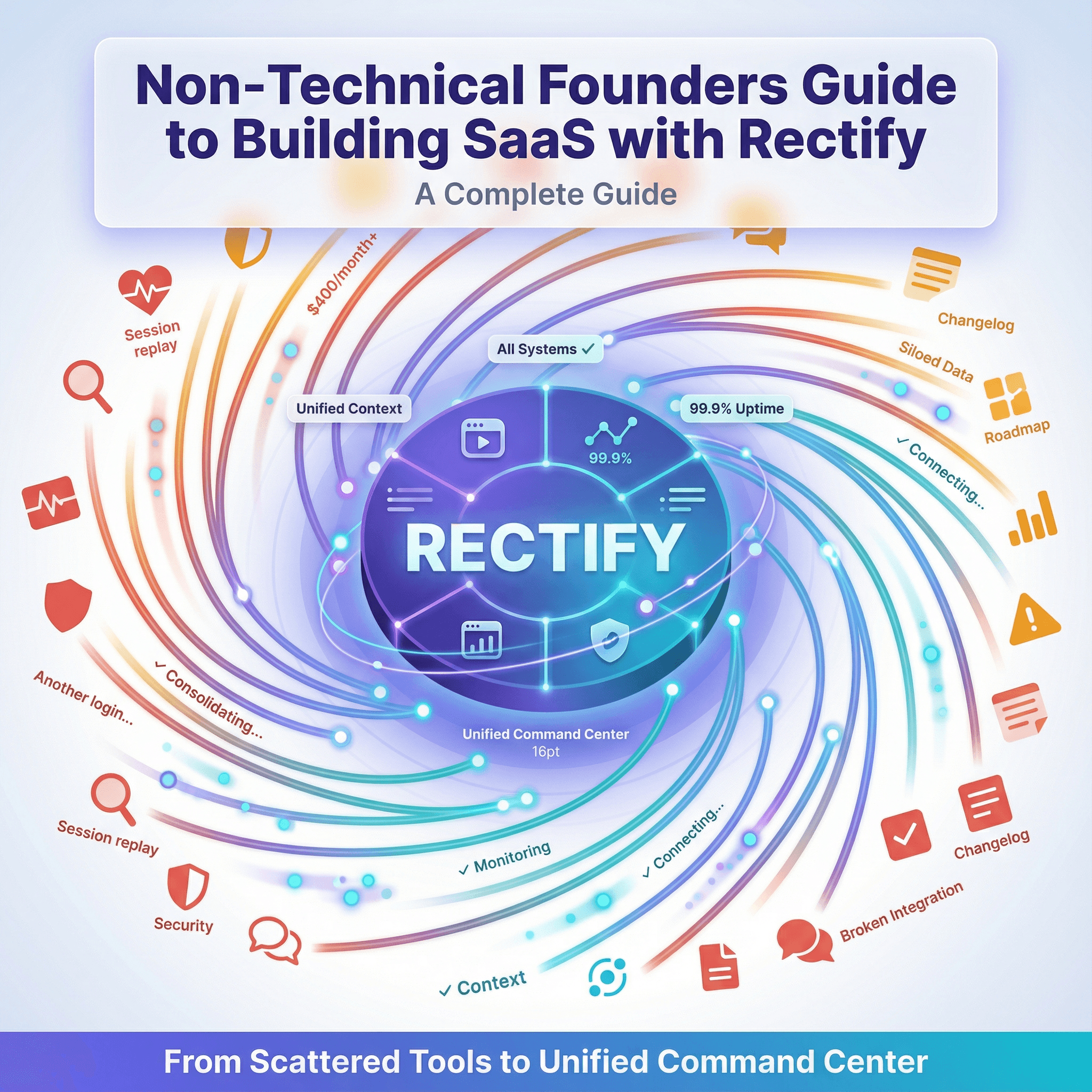
How Non-Technical Founders Can Build Successful SaaS Products with Rectify: A Complete Guide
The AI coding revolution has changed everything. Tools like Cursor, Lovable, Bolt, and v0 have made it possible for anyone with a great idea to build a SaaS product, no computer science degree required.
But here's what most guides won't tell you: building the product is only half the battle. The real challenge begins when you launch. How do you know when something breaks? How do you help users who run into issues? How do you look professional when you're a solo founder working from your kitchen table?
This guide walks you through building and running a successful SaaS as a non-technical founder, with Rectify as your operations command center at every step.
The New Reality: You Can Build, But Can You Run?
Sarah's Story
Sarah, a marketing consultant, had a brilliant idea: a client reporting tool that automatically pulled data from multiple platforms. She'd seen the pain points firsthand—her clients were paying thousands for custom solutions.
Using Lovable, she built a working prototype in two weeks. It was incredible. She got her first three paying customers within a month.
Then reality hit:
A customer in Australia reported the dashboard wasn't loading. Sarah had no way to see what they were seeing.
Her application went down at 3 AM on a Saturday. She found out Monday morning from an angry email.
She was paying $400/month for separate tools: session replay ($99), uptime monitoring ($45), support inbox ($74), error tracking ($29), feature voting ($50), changelog tool ($35), and status page ($25).
She spent more time managing tools than improving her product.
Sound familiar?
The Gap Between Building and Running
AI tools have made building products accessible to everyone. But running a SaaS? That still requires a complex stack of tools that assume you're a developer:
Traditional Approach (What Most Non-Technical Founders Face):
Session replay tool for seeing user issues → $99-460/month
Uptime monitoring → $25-85/month
Error tracking → $26-80/month
Support inbox → $74-150/month
Roadmap/feature voting → $50-150/month
Changelog → $25-75/month
Status page → $25-50/month
Total: $400-1,500/month across 7+ separate tools that don't talk to each other.
The Rectify Approach: Everything in one visual, accessible platform → $29-99/month
Your Step-by-Step Guide to Building and Running a SaaS
Phase 1: Building Your Product (Weeks 1-4)
What You're Doing: Using AI tools (Cursor, Lovable, Bolt, v0) to build your core product. You're describing features, the AI is writing code, and you're seeing your vision come to life.
What You Need from Rectify (Even at This Stage):
1. Session Recording During Development
Install Rectify's Chrome Extension while building. As you test your own product:
Record your clicks, navigation, and interactions
Capture what works and what doesn't
Create a visual record of issues to share with AI tools
Real benefit: Instead of describing bugs in text to your AI coding assistant, show it exactly what happened with a recording.
2. Code Scanning Before Launch
Connect your GitHub repository to Rectify's automated code scanner:
Scan for security vulnerabilities (you can't see them, but they're there)
Identify code quality issues in plain language
Get specific line numbers and fix suggestions
Case Study: Marcus, Solo Developer
"I used Claude to build my invoicing SaaS. It worked perfectly—until Rectify's code scan found three security vulnerabilities in how I was handling payment data. I'm not a security expert. I would never have caught those. The scanner gave me the exact fix in language I could understand and paste back into Claude."
Real benefit: Know your AI-generated code is secure before your first customer uses it.
Phase 2: Launching Your Product (Week 5)
What You're Doing: Getting your first users. Posting on ProductHunt, sharing with your network, maybe running some targeted ads.
What You Need from Rectify:
1. Professional Status Page
Create a public status page in 5 minutes:
Shows real-time uptime of your services
Displays historical performance
Gives users somewhere to check when they have issues
Why this matters: You're competing against funded startups with full teams. A status page at status.yourproduct.com makes you look legitimate.
2. Uptime Monitoring That Actually Tells You
Set up monitoring for your key services:
Website availability
API endpoints
Database connectivity
SSL certificate expiration
Get alerts via email, Slack, or webhook when something breaks.
Testimonial: Priya, AI SaaS Founder
"My Supabase database hit its connection limit at 2 AM. Rectify texted me immediately. I upgraded the plan from my phone before my morning users even woke up. They never knew anything happened."
Real benefit: Know before your customers do.
3. Support Inbox That Shows Visual Context
When users report issues through your support widget:
See exactly what they were doing (session replay attached automatically)
View console errors and network failures
Understand the issue without asking 10 follow-up questions
Real benefit: Help users faster without being technical.
Phase 3: Growing Your Product (Months 2-6)
What You're Doing: Shipping features based on user feedback. Iterating quickly. Building in public. Trying to scale from 10 users to 100.
What You Need from Rectify:
1. Roadmap That Involves Your Users
Let users vote on features they want:
Public roadmap shows what's coming
Users upvote features they need
You build what people actually want, not what you guess they want
Case Study: Jake's Project Management Tool
"I was about to spend two weeks building a Gantt chart view because I thought that's what PM tools need. My Rectify roadmap showed users were voting 10:1 for a mobile app instead. I pivoted. Built the mobile app with Cursor in a week. Retention jumped 40%."
Real benefit: Stop guessing. Build what users want.
2. Changelog That Writes Itself
When you ship features:
AI drafts your changelog entries from your updates
Notify subscribers automatically
Show users you're actively improving
Real benefit: Professional communication without the writing effort.
3. Session Replay for Understanding Behavior
Watch anonymized recordings of how users actually use your product:
See where they get stuck
Identify confusing UX
Catch bugs they don't report
Real benefit: Improve your product based on actual behavior, not assumptions.
Phase 4: Scaling Operations (Months 6-12)
What You're Doing: You have paying customers. Revenue is growing. You're thinking about hiring. You need systems that work without you watching everything 24/7.
What You Need from Rectify:
1. Automated Code Scanning on Every Push
As you (or your AI assistant) make changes:
Automatic scans on every GitHub push
Catch issues before they reach production
Track code quality trends over time
2. Incident Management That Actually Works
When things break:
Automatic incident creation from monitoring failures
Status updates your users can see
Timeline of what happened and what you did
Testimonial: David, Non-Technical Founder
"Our API went down during a product demo to a major prospect. Because I had Rectify's status page, I could show them our 99.8% uptime history and that this was our first incident in 60 days. They signed anyway. Without that transparency, I would have lost the deal."
Real benefit: Transparency builds trust, even when things break.
3. Quanta AI - Your Operations Assistant
This is where things get powerful. Instead of clicking through dashboards, just ask:
"What happened to user sarah@example.com yesterday?"
"Create an uptime monitor for our new API endpoint"
"Run a security scan on our main branch"
"What's our uptime this month?"
Quanta does it. No clicking. No reading logs. Just ask.
Real benefit: Manage your entire operations through conversation.
Essential Features Covered: Authentication & Billing
Let's address the two features every SaaS needs: authentication and billing.
Authentication
The AI Building Approach:
You'll likely use:
Supabase Auth (easiest for AI tools)
Clerk (good UI components)
Firebase Auth (comprehensive)
Custom auth with NextAuth.js
How Rectify Helps:
Security Scanning: Rectify's code scanner checks your authentication implementation for common vulnerabilities:
Weak password policies
Missing rate limiting on login endpoints
Exposed API keys
Insecure session handling
Session Replay for Auth Issues: When users can't log in:
See exactly what they tried
Capture any error messages they saw
Identify if it's a user error or a code issue
Monitoring Login Endpoints: Set up uptime monitors specifically for:
/api/auth/login/api/auth/signupThird-party auth redirects (Google, GitHub, etc.)
Real Example: Authentication Bug Caught
A founder using Cursor built a login system. Everything worked in development. In production, European users couldn't log in.
Rectify's session replay showed the exact error: the authentication API was timing out for users far from the US-East server. The founder added a CDN endpoint for auth, fixing the issue in 20 minutes.
Billing Integration
The AI Building Approach:
Most non-technical founders use:
Stripe (industry standard)
Lemon Squeezy (simpler, handles taxes)
Paddle (good for global sales)
How Rectify Helps:
Code Scanning for Payment Security: Critical checks before launch:
Webhook signature verification (prevents fraud)
Proper error handling on failed payments
Secure storage of payment metadata
PCI compliance basics
Monitor Webhook Endpoints:
Set up monitoring for Stripe webhook endpoint
Alert if webhook deliveries fail
Track response times to ensure Stripe doesn't retry
Session Replay for Checkout Issues:
See where users abandon checkout
Catch payment form errors
Identify UX friction in the payment flow
Support Context for Billing Issues:
When users report "payment didn't work"
See exactly what happened in their session
View network requests to Stripe API
Quickly identify card issues vs. code issues
Case Study: Preventing Revenue Loss
"My Stripe webhook endpoint went down for 4 hours without me knowing. Rectify would have alerted me immediately. Instead, I lost dozens of subscription activations and spent a week manually reconciling payments." - Anonymous founder survey response
With Rectify's monitoring, you get alerted the moment webhook delivery fails.
Visual Comparison: Traditional vs. Rectify Approach
The Tool Stack Comparison
Traditional Non-Technical Founder Stack:
The Rectify Approach:
Time Saved Per Week
Typical Week for Non-Technical Founder:
Task | Traditional Stack | With Rectify | Time Saved |
|---|---|---|---|
Investigating user-reported bug | 2 hours (asking questions, trying to reproduce) | 15 minutes (watch session replay) | 1h 45m |
Checking uptime across services | 30 minutes (logging into 3 tools) | 2 minutes (one dashboard) | 28m |
Writing changelog | 1 hour (writing, formatting, publishing) | 10 minutes (AI draft, quick edit) | 50m |
Responding to "it's broken" support ticket | 45 minutes (back-and-forth for details) | 10 minutes (see exactly what happened) | 35m |
Creating status update during incident | 20 minutes (updating multiple places) | 3 minutes (one update syncs everywhere) | 17m |
Checking code quality after AI changes | 1 hour (manual review, googling) | 5 minutes (automated scan report) | 55m |
TOTAL WEEKLY SAVINGS | — | — | 5h 10m |
That's 20+ hours per month you get back to focus on building your product and growing your business.
Real User Testimonials
Emma - Non-Technical Founder, Client Portal SaaS
"I'm a former account manager who learned to build with Cursor. I had zero coding background. Rectify changed everything for me.
Before Rectify: I'd get emails saying 'it's not working' and I'd have no idea what they meant. I'd ask for screenshots. They'd send blurry photos. I'd try to reproduce it. Couldn't. Give up.
With Rectify: I watch exactly what they did. I see the error. I describe it to Claude. Claude fixes it. The whole process takes 10 minutes instead of days of frustration.
Plus, I went from paying $380/month for four different tools to $59/month for Rectify. That's $3,852 saved annually. As a bootstrapped founder, that matters."
Raj - Solo Developer, Analytics Dashboard
"I can code, but I don't want to spend my time building internal tools. Rectify is like having a DevOps team without hiring one.
The uptime monitoring caught my database reaching its connection limit at 4 AM. I got an alert, upgraded my plan from my phone, and my users never knew anything happened. That one incident paid for a year of Rectify.
But what really sold me was the consolidation. I was paying for Better Stack, LogRocket, and Canny separately. Rectify does all three plus more. It just makes sense."
Lisa - Designer Building Her First SaaS
"I used Lovable to build a design feedback tool. I'm not technical—I'm a designer who had an idea.
Rectify's code scanner is my safety net. Every time I push changes, it checks for security issues and explains them in plain English. It's caught things I would never have known to look for.
The session recordings also help me see UX issues I wouldn't catch otherwise. I watch how people actually use my tool and improve the design based on real behavior."
Feature by Feature
Feature | What You Need | DIY Approach | Traditional Tools | Rectify |
|---|---|---|---|---|
Session Replay | See what users experienced | Record screen yourself, send file | LogRocket ($99-460/mo) | ✅ Included + AI analysis |
Uptime Monitoring | Know when services are down | Manually check every hour | Better Stack ($25-85/mo) | ✅ Included + auto status page |
Code Security | Ensure AI code is safe | Hope for the best | Manual security audit ($$$) | ✅ Automated scanning |
Support Context | Understand bug reports | Email back-and-forth | Intercom ($74/mo) + separate tools | ✅ Session replay auto-attached |
User Feedback | Know what to build next | Google Forms + spreadsheet | Canny ($50/mo) | ✅ Built-in roadmap |
Status Communication | Tell users about downtime | Write tweets manually | StatusPage.io ($29-499/mo) | ✅ Auto-updates from monitoring |
Release Notes | Announce new features | Write docs manually | Beamer ($25-75/mo) | ✅ AI-assisted changelogs |
Cost | — | Free (but your time) | $400-1,500/month | $29-99/month |
Setup Time | — | Weeks of learning | Days of integration | Minutes |
Technical Knowledge Required | — | High | Medium-High | None |
Your Action Plan: 30 Days to Launch with Rectify
Week 1: Building Phase
Day 1-2: Set Up Rectify
[ ] Sign up for Rectify (start with free tier)
[ ] Install Chrome Extension
[ ] Connect your GitHub repository
Day 3-5: Build with AI Tools
[ ] Use Cursor/Lovable/Bolt to build your core features
[ ] Use Rectify extension to record testing sessions
[ ] Share recordings with AI when describing issues
Day 6-7: Security Check
[ ] Run first code scan
[ ] Review security findings in plain language
[ ] Fix critical issues (paste recommendations to AI)
Week 2: Pre-Launch Setup
Day 8-10: Monitoring Setup
[ ] Create uptime monitors for key endpoints
[ ] Set up email/Slack alerts
[ ] Configure SSL certificate monitoring
Day 11-12: Public-Facing Pages
[ ] Create status page (
status.yourproduct.com)[ ] Set up roadmap for feature voting
[ ] Create initial changelog
Day 13-14: Support Infrastructure
[ ] Integrate support inbox widget on your site
[ ] Test session replay attachment
[ ] Create canned responses for common questions
Week 3: Launch
Day 15: ProductHunt Launch
[ ] Verify all monitors are active
[ ] Status page is public
[ ] Support widget is working
Day 16-21: First Users
[ ] Monitor uptime dashboard daily
[ ] Watch session replays to see how people use your product
[ ] Respond to support requests with full context
[ ] Note feature requests in roadmap
Week 4: Optimization
Day 22-24: Learn from Data
[ ] Review most common user paths in session replays
[ ] Identify UX friction points
[ ] Check code scan for any new issues
Day 25-27: Improve
[ ] Fix high-priority UX issues
[ ] Add most-voted features to your build queue
[ ] Update roadmap with timelines
Day 28-30: Scale Preparation
[ ] Set up additional monitors as you add features
[ ] Create maintenance windows for planned updates
[ ] Configure Quanta AI for conversational access
Common Questions from Non-Technical Founders
"I'm using Lovable/Bolt. Will Rectify work with AI-generated code?"
Yes. Rectify is built specifically for AI-generated code. The code scanner understands common patterns from Claude, GPT-4, and other AI assistants. It doesn't matter which AI tool you used—Rectify works with all of them.
"I'm not technical. Will I understand the reports?"
That's exactly why Rectify exists. Everything is visual. No logs to parse. No technical jargon. When the code scanner finds an issue, it explains it in plain English and tells you exactly what to fix.
"How is this different from just using Sentry?"
Sentry is an error tracker for developers. It shows you stack traces and assumes you can read code. Rectify shows you what the user saw, explains what went wrong in plain language, and gives you the fix to paste into your AI assistant. Plus, Sentry is just one feature—Rectify replaces 7+ tools.
"What if I need to hire a developer later?"
Rectify grows with you. When you hire developers, they'll appreciate having all the context in one place. The session replays, code scans, and monitoring data are all professional-grade. You're not building technical debt by using Rectify—you're building good infrastructure from day one.
"Can I really save $400+ per month?"
Let's do the math:
Session replay (LogRocket): ~$99/month
Uptime monitoring (Better Stack): ~$45/month
Error tracking (Sentry): ~$29/month
Support inbox (basic Intercom): ~$74/month
Roadmap (Canny): ~$50/month
Changelog (Beamer): ~$35/month
Status page (StatusPage.io): ~$29/month
Total: $361/month minimum (usually more as you scale)
Rectify Build plan: $29/month (or $23.20/month annual)
Savings: $332+/month = $3,984+/year
And that's conservative. Most founders end up paying $600-1,500/month for these tools separately.
"What about AI costs with the BYOK model?"
BYOK (Bring Your Own Keys) means you connect your own API keys from OpenAI, Anthropic, or Gemini. You pay those providers directly at their rates. No markup. No hidden costs. You control your AI spending.
For most small SaaS products, AI costs are $5-20/month depending on usage. Compare that to tools that charge $50-200/month for "AI features" with the costs hidden in the subscription.
The Bottom Line: Focus on Building, Not Operations
Building a SaaS as a non-technical founder is now possible thanks to AI coding tools. But building is only the beginning.
The companies that succeed are the ones that can:
See what's happening in their product
Help users when issues arise
Look professional even as a solo founder
Scale without hiring a DevOps team
Stay focused on the product, not the infrastructure
Rectify gives you all of this in one platform, for less than you'd pay for any single alternative tool.
800+ businesses already trust Rectify to run their operations. 130+ integrations mean it works with whatever stack you've built. 20,000+ bugs have been found and fixed faster because founders could see exactly what happened.
Get Started Today
Free Tier: Start with 1 project, 10 session replays, and basic features—perfect for validating your idea.
Build Plan ($29/month): When you're ready to launch. 3 team members, 100 session replays, full monitoring.
Launch Plan ($59/month): Growing fast? 10 team members, 1,000 session replays, custom domain.
Accelerate Plan ($99/month): Scaling up. 25 team members, 5,000 session replays, priority support.
All plans include:
Unlimited uptime monitors
Automated code scanning
Support inbox
Roadmap and changelog
Status pages
Quanta AI access
BYOK AI models
Ready to Build Your SaaS the Smart Way?
You've got the idea. AI tools give you the power to build. Rectify gives you everything you need to run it professionally.
No credit card required. Full access to see if it's right for you.